 www.RxPaper.com www.ScriptPaper.com |

|
|
SECURE Rx PAPER ROLLS 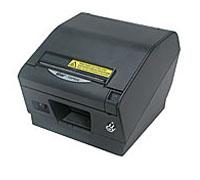 for use with Star TSP800IIRx Thermal Roll Printer
The Star TSP800IIRx is a secured, wide-format, ultra high speed, easy load thermal printer |
Thermal Paper Prescription rolls available for use in every state Thermal Rx Paper Rolls (with sensing mark) | |
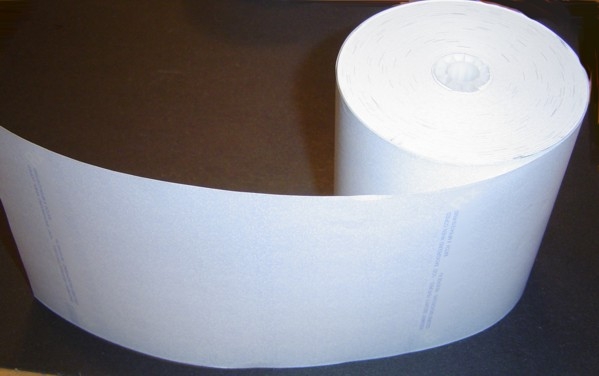
Click on State for complete product information.
| State | Item Number | Description | Add to Shopping Cart |
 Alabama Alabama |
Rx560Rx563 |
16 rolls per carton $230.00 per carton | |
| Alaska |
Rx563 | 16 rolls per carton $230.00 per carton | |
| Arizona |
Rx560Rx563 | 16 rolls per carton $230.00 per carton | |
| California | none | - | |
|
Colorado |
Rx560Rx563 | 16 rolls per carton $230.00 per carton |
|
| Connecticut |
Rx560Rx563 |
16 rolls per carton $230.00 per carton |
|
| Delaware | Rx529 |
16 rolls per carton $250.00 per carton | |
| Florida |
Rx560Rx563 | 16 rolls per carton $230.00 per carton | |
| Georgia |
Rx563 | 16 rolls per carton $230.00 per carton | |
| Hawaii |
Rx560Rx563 | 16 rolls per carton $230.00 per carton | |
| Idaho |
Rx560Rx563 | 16 rolls per carton $230.00 per carton | |
| Illinois |
Rx560Rx563 | 16 rolls per carton $230.00 per carton | |
| Indiana | Rx572 |
16 rolls per carton $230.00 per carton | |
| Iowa | Rx560Rx563 | 16 rolls per carton $230.00 per carton | |
| Kansas | Rx560Rx563 | 16 rolls per carton $230.00 per carton | |
| Kentucky | Rx574 | 16 rolls per carton $230.00 per carton | |
| Louisiana | Rx560Rx563 |
16 rolls per carton $230.00 per carton | |
| Maine | Rx563 | 16 rolls per carton $230.00 per carton | |
| Maryland | Rx560Rx563 | 16 rolls per carton $230.00 per carton | |
| Massachusetts | Rx560Rx563 | 16 rolls per carton $230.00 per carton | |
| Michigan | Rx560Rx563 | 16 rolls per carton $230.00 per carton | |
| Minnesota | Rx560Rx563 | 16 rolls per carton $230.00 per carton | |
| Mississippi | Rx560Rx563 | 16 rolls per carton $230.00 per carton | |
| Missouri | Rx560Rx563 | 16 rolls per carton $230.00 per carton | |
| Montana | Rx560Rx563 | 16 rolls per carton $230.00 per carton | |
| Nebraska | Rx560Rx563 | 16 rolls per carton $230.00 per carton | |
| Nevada | Rx560Rx563 |
16 rolls per carton $230.00 per carton | |
| New Hampshire | Rx560Rx563 | 16 rolls per carton $230.00 per carton | |
| New Jersey | none | - | |
| New Mexico | Rx560Rx563 | 16 rolls per carton $230.00 per carton | |
| New York | none | - | |
| North Carolina | Rx560Rx563 | 16 rolls per carton $230.00 per carton | |
| North Dakota | Rx560Rx563 | 16 rolls per carton $230.00 per carton | |
| Ohio | Rx560Rx563 | 16 rolls per carton $230.00 per carton | |
| Oklahoma | Rx560Rx563 | 16 rolls per carton $230.00 per carton | |
| Oregon | Rx560Rx563 | 16 rolls per carton $230.00 per carton | |
| Pennsylvania | Rx560Rx563 | 16 rolls per carton $230.00 per carton | |
| Rhode Island | Rx560Rx563 | 16 rolls per carton $230.00 per carton | |
| South Carolina | Rx560Rx563 |
16 rolls per carton $230.00 per carton | |
| South Dakota | Rx560Rx563 |
16 rolls per carton $230.00 per carton | |
| Tennessee | Rx560Rx563 | 16 rolls per carton $230.00 per carton | |
| Texas | Rx560Rx563 | 16 rolls per carton $230.00 per carton | |
| Utah | Rx560Rx563 | 16 rolls per carton $230.00 per carton | |
| Vermont | Rx560Rx563 | 16 rolls per carton $230.00 per carton | |
| Virginia | Rx560Rx563 | 16 rolls per carton $230.00 per carton | |
| Washington |
Rx577 | 16 rolls per carton $230.00 per carton | |
| West Virginia | Rx560Rx563 | 16 rolls per carton $230.00 per carton | |
| Wisconsin | Rx560Rx563 | 16 rolls per carton $230.00 per carton | |
| Wyoming | Rx560Rx563 | 16 rolls per carton $230.00 per carton | |
| District of Columbia | Rx560Rx563 | 16 rolls per carton $230.00 per carton | |
| U.S. Territories | Rx560Rx563 | 16 rolls per carton $230.00 per carton | |
| CANADA | Rx560Rx563 | 16 rolls per carton $230.00 per carton | |
|
Information on Thermal Paper Micro Format Security Thermal Rolls are manufactured using Alpha® 820-3.4 Thermal Paper. Shelf Life and Storage Recommendations | |||
Acceptance of any and all orders for Document Security Paper is at the
discretion of the Micro Format Document Security Compliance Team.
Rx560 ~ Standard Format THERMAL PAPER Prescription Rolls
Thermal Rx Paper Rolls WITH BLACK "TIMING" MARK on back of sheet.
Acceptable for use in all states except California, Indiana, Kentucky,
Maine, New Jersey and New York.
-
Security Features Include:
- Unique Security Background
Distinctive Blue Colored Background provides "ERASURE" Protection
- Hidden Message Technology
The word "VOID" is activated when document is photocopied.

- Reverse Rx
Rx Symbol drops out when photocopied
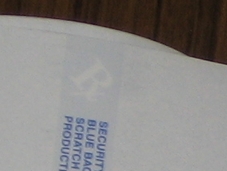
- Artificial Watermark on reverse side of form
Visible when script is held on a 45 degree angle toward the light
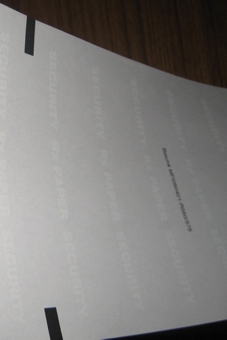
- Security Warning Band
List of Document Security Features printed on front of scripts
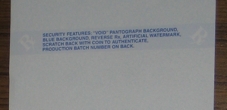
- Production Control Batch Number printed on back of scripts
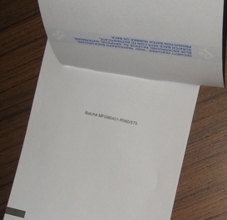
- Top of form timing mark on back of sheet
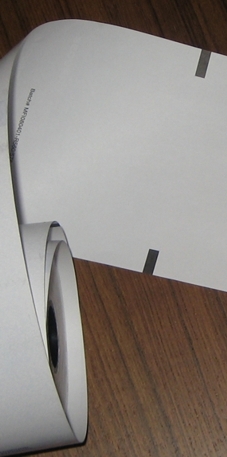
- UV Security
Security Images are visible when viewed under black light

-
Item# RX560
- 6" image repeat
- 21# Thermal Paper
- Roll Width = 4-3/8"
- Roll Diameter = 3-5/8"
- 250' roll (approximately 500 scripts/roll)
16 rolls per carton
$230.00 per carton
Click to ADD to your Shopping Cart
Format Thermal Paper for use in Thermal Printers
with "sensing" MARK on back side of form
Important Information
It is important to note that copier technology is ever changing.
Thus hidden "VOID" messages on Document Security Paper will appear most of the time. However messages cannot be guaranteed to appear 100% of the time when used with all copiers or scanners.
For this reason, there are additional security features incorporated into security paper preventing accurate script duplication.
It is impossible to accurately duplicate Micro Format Rx Paper.
You can always identify the original from a copy.
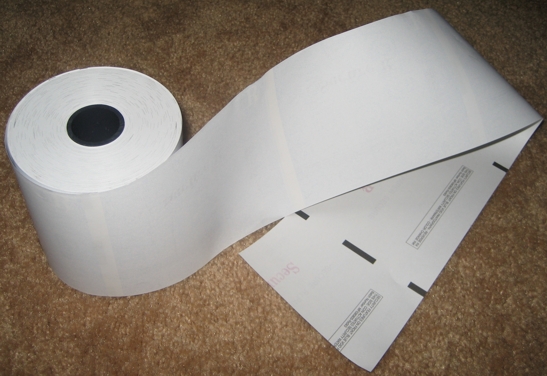
Rx563 ~ PORTRAIT / LANDSCAPE FORMAT
THERMAL PAPER Prescription Rolls
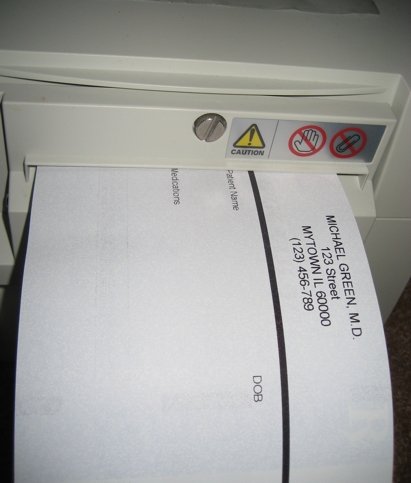
Thermal Rx Paper Rolls with timing marks on back of sheet.
Also acceptable for use in all states except California, Indiana, Kentucky,
New Jersey and New York.
-
Features Include:
- Use either Portrait or Landscape Format
- 4.25 in. wide (111.13 mm)
1 in. core (25.4 mm) - 21# Highest Quality Thermal Paper
- Tamper Resistant Thermal Paper Rx Rolls
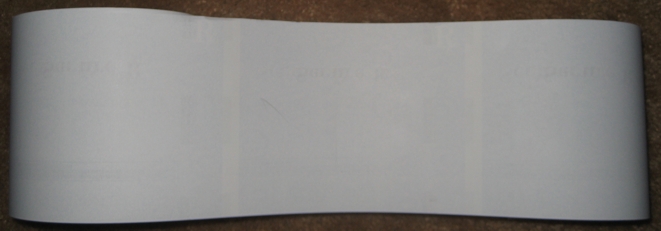
meet and exceed ALL 2008 Medicaid Requirements - Unique Security Background
Distinctive Blue Colored Background provides "ERASURE" Protection - 5-1/2" Image Repeat
- Hidden Message Technology
The word "VOID" appears on photocopy when script is photocopied.
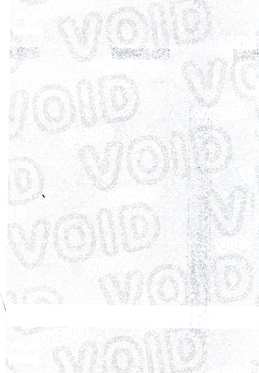
IT IS IMPORTANT TO NOTE that copier technology is ever changing.
Thus messages hidden on Document Security Paper will appear most of the time.
However messages cannot be guaranteed to appear 100% of the time when used with all copiers or scanners.
- Reverse Rx
in two postitions
Rx Symbol drops out when photocopied

- Security Warning Band
List of Document Security Features printed on back of script

- Control Batch Number printed on back of form
- Artificial Watermark on reverse side of form
To View, hold paper on angle toward light.
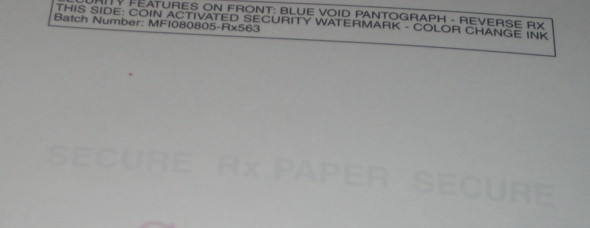
- Secure Rub™ Color Change Ink on back of script
Words Red SECURE Rx disappears briefly when rubbed

- Top of form sensing mark on back of sheet
5-1/2" Repeat
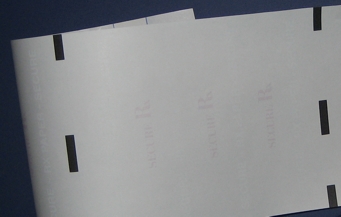
- Coin Activated Security on back of script

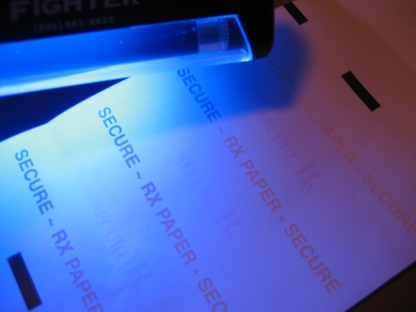
- UV Security
Invisible Images are visible when viewed under black light
Words "SECURE ~ RX PAPER appear on back of form
when viewed under black light.
Tamper Resistant Thermal Roll Paper for use in
Star, Citizen and Zebra Thermal Printers
250' roll (approximately 500 scripts/roll)
16 rolls per carton
$230.00 per carton
Click to ADD to your Shopping Cart
Return to Directory
Important Information
It is important to note that copier technology is ever changing.
Thus hidden "VOID" messages on Document Security Paper will appear most of the time. However messages cannot be guaranteed to appear 100% of the time when used with all copiers or scanners.
For this reason, there are additional security features incorporated into security paper preventing accurate script duplication.
It is impossible to accurately duplicate Micro Format Rx Paper.
You can always identify the original from a copy.
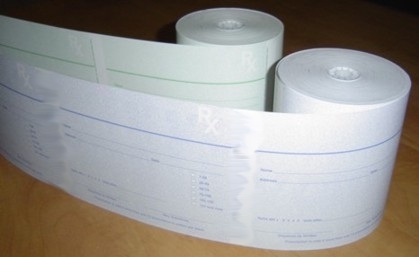
INDIANA Thermal Rx Paper Rolls 
Item# RX572
Indiana Format Thermal Paper for use in Thermal Printers
Contains security features as specified by the State of Indiana
20# Thermal Paper ~ Roll Width = 4-1/4" ~ Roll Diameter = 3-5/8"
250' roll (approximately 500 scripts/roll)16 rolls per carton
$230.00 per carton
Click to ADD to your Shopping Cart
Return to Directory
KENTUCKY Thermal Rx Paper Rolls 
Item# RX574
Kentucky Format Thermal Paper for use in Thermal Printers
Contains security features as specified by the State of Kentucky
20# Thermal Paper ~ Roll Width = 4-1/4" ~ Roll Diameter = 3-5/8"
250' roll (approximately 500 scripts/roll)16 rolls per carton
$230.00 per carton
Click to ADD to your Shopping Cart
Return to Directory
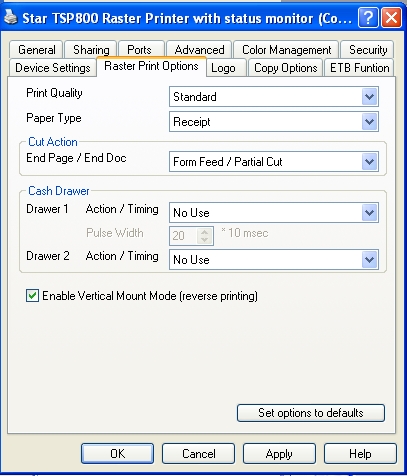
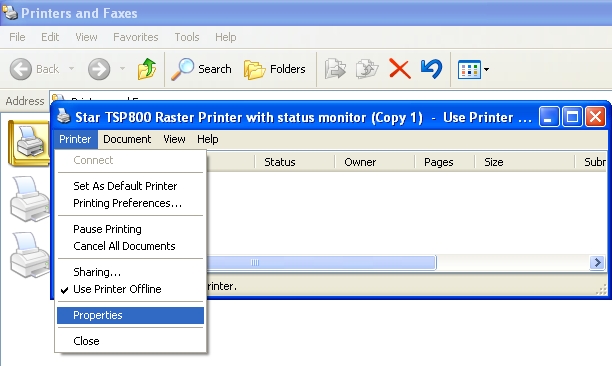
Need to ROTATE THE PRINT OUTPUT ?
Here is how to do it:
Go into Setting,
to Printers and Faxes, click on the TSP800 printer ,
click on Properties
2) Go to Raster Print Options -
and click to check Enable Vertical Mount Mode -
(Reverse printing) - then click apply and then OK
For additional information on Rx Paper products, please call Micro Format, Inc. at 800-333-0549
or send us an e-mail message
Contact Support - Micro Format, Inc ~ support@RxPaper.com
Copyright © 2004 - Micro Format, Inc., All Rights Reserved
Micro Format, Inc.
830-3 Seton Court ~ Wheeling, IL 60090
847/520-4699 FAX 847/520-0197
Toll Free: 800-333-0549